
Managing Hours Worked Related Allowance (HWRAL) Mapping
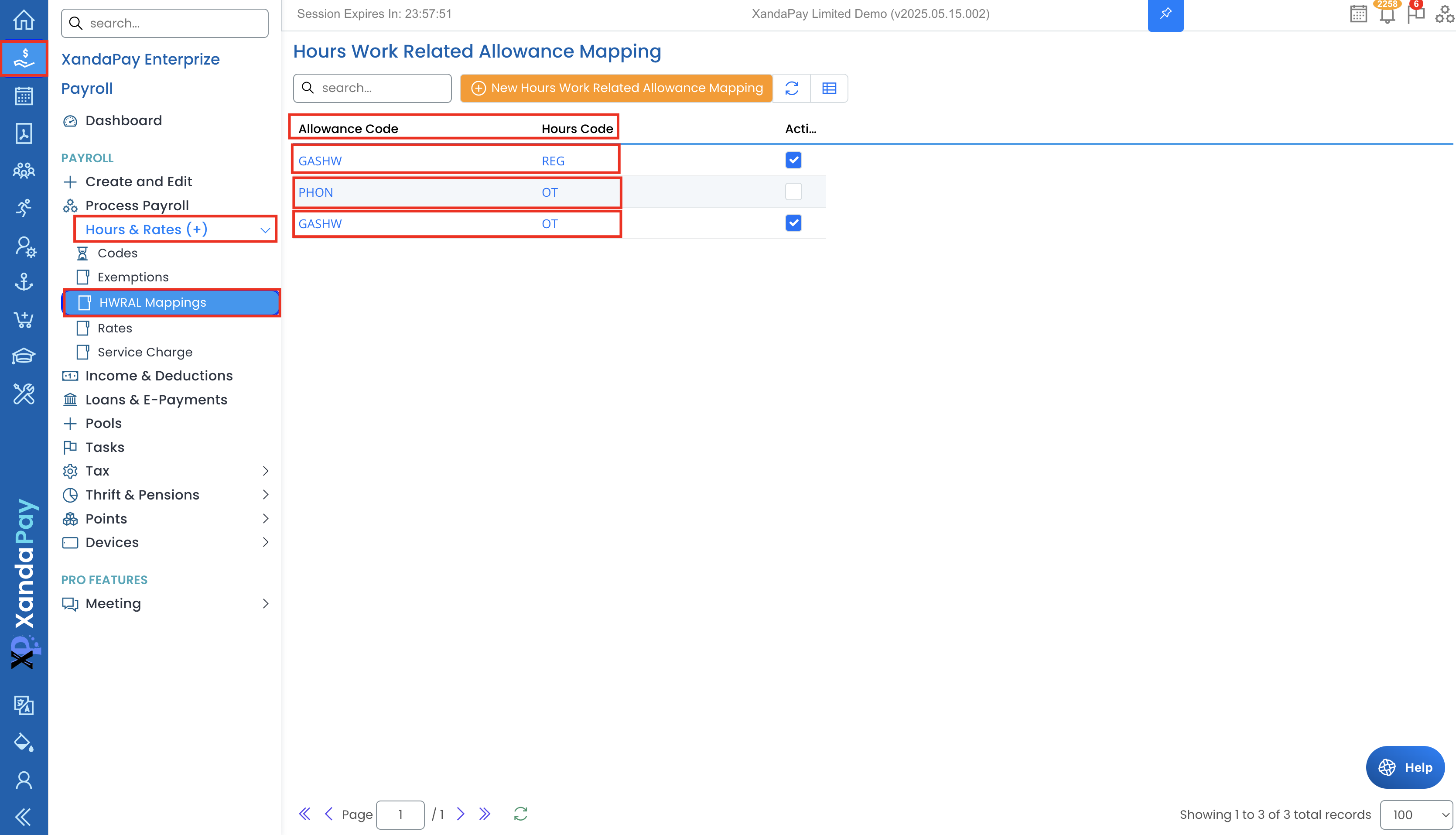
Accessing HWRAL Mapping
- Log in to XandaPay Enterprise.
- Navigate to the Payroll menu.
- Expand "Hours & Rates (+)" and click "HWRAL Mappings."
- View the existing mappings between allowances and hours codes.
Understanding the HWRAL Mapping List
The displayed list includes:
- Allowance Code – The allowance linked to the worked hours.
- Hours Code – The specific worked hours that contribute to the allowance calculation.
- Active? – Indicates if the mapping is currently applied in payroll processing.
Creating a New HWRAL Mapping
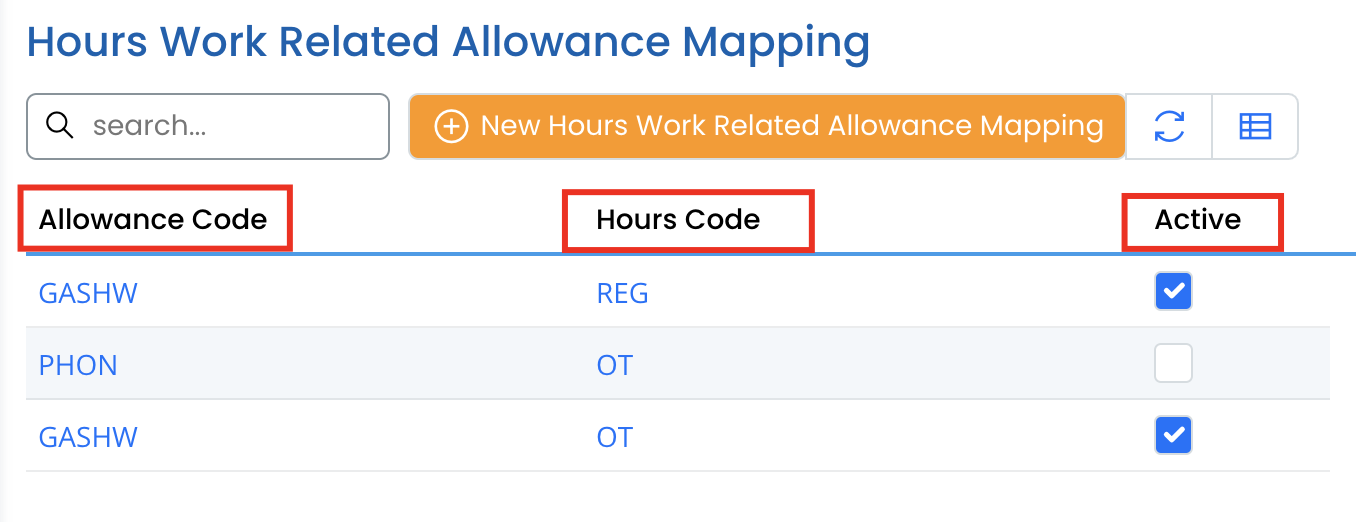
- Click New Hours Work Related Allowance Mapping at the top.
- In the form that appears:
- Select the Allowance (e.g., GASHW - Gas Allowance).
- Choose the Hours code that should be summed for the allowance calculation (e.g., REG - Regular Hours).
- Check the Active box to enable the mapping.
- Click Save to apply the mapping.
Editing an Existing HWRAL Mapping
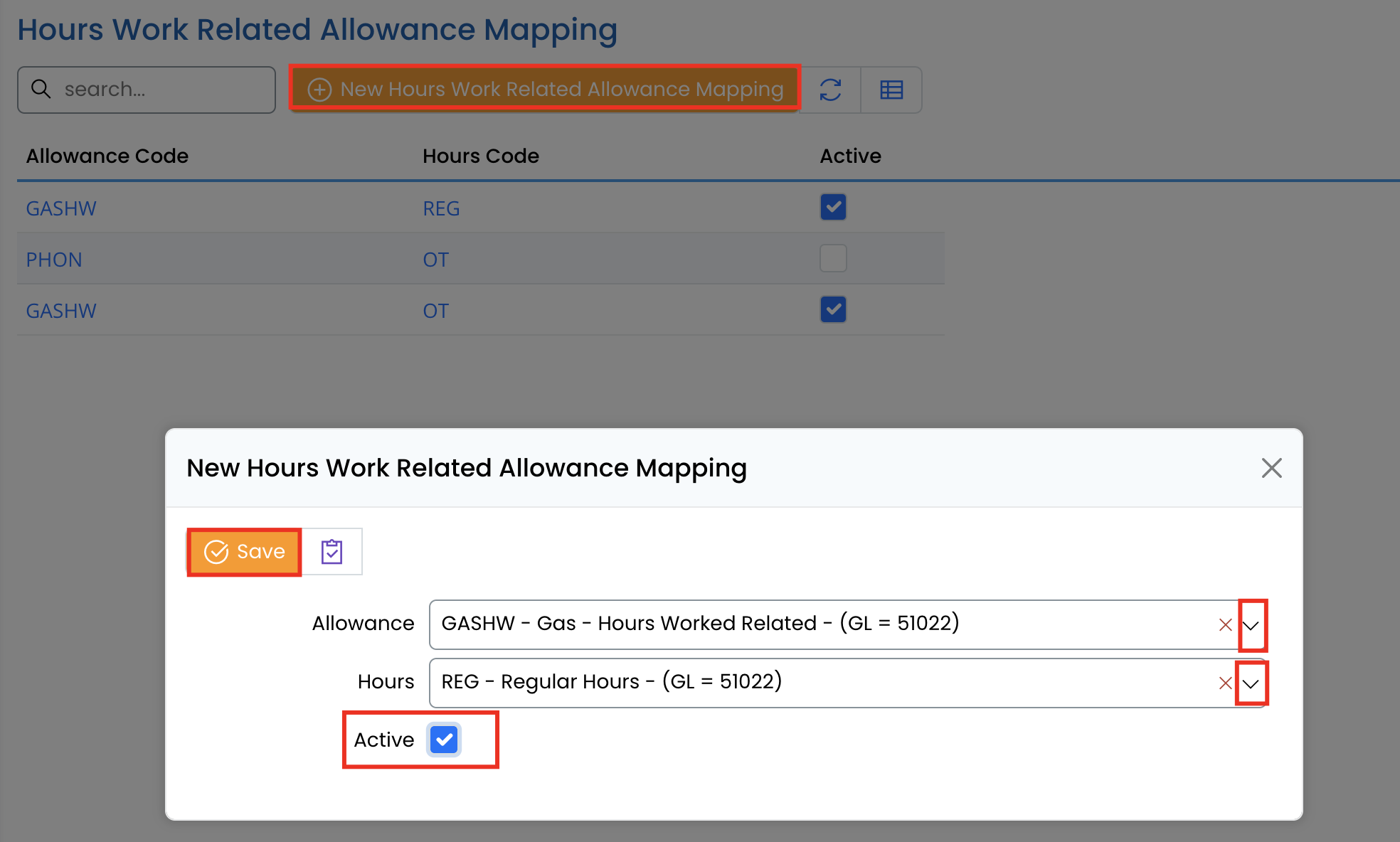
- Locate the mapping in the list.
- Click on it to open the details.
- Modify the Allowance, Hours, or Active status.
- Click Save to update.
Example Scenario: Gas Allowance Calculation
Assume an employee has an allowance for gas (GASHW) with a rate of $10 per hour worked. The following hours are logged:
- Regular Hours (REG): 40
- Overtime (OT): 10
If both REG and OT are mapped to the GASHW allowance, XandaPay will calculate the total amount as:
(40+10)×10=50×10=500(40 + 10) \times 10 = 50 \times 10 = 500
Thus, the employee receives $500 as the gas allowance.
Best Practices for HWRAL Mapping
✔ Ensure allowances are correctly set as Hours Worked Related before mapping.
✔ Assign appropriate hour codes to prevent incorrect calculations.
✔ Review mappings periodically to maintain payroll accuracy.
✔ Use clear allowance and hour names for easy identification.
By using HWRAL mapping effectively, payroll teams can automate allowances based on worked hours, reducing manual data entry and ensuring accurate compensation calculations. 🚀