
Managing Service Charge Applicable Hours
Service Charge Applicable Hours determine which hours contribute to an employee’s service charge distribution. This ensures that only eligible working hours are included when calculating service charge payouts.
Accessing Service Charge Applicable Hours
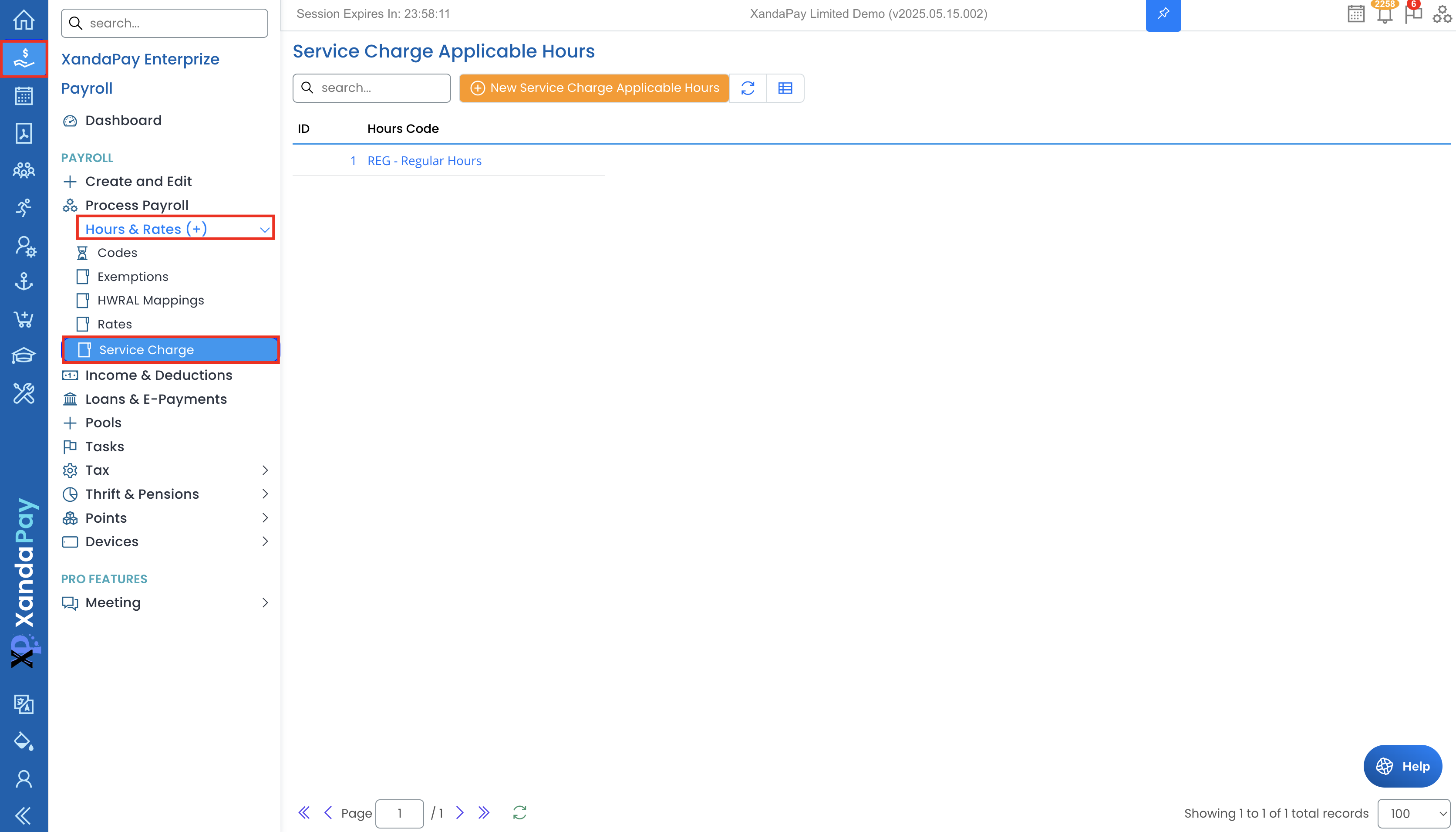
- Log in to XandaPay Enterprise.
- Navigate to the Payroll menu on the left.
- Expand Hours & Rates (+).
- Click Service Charge to view the configured applicable hours.
Understanding the Service Charge Applicable Hours List
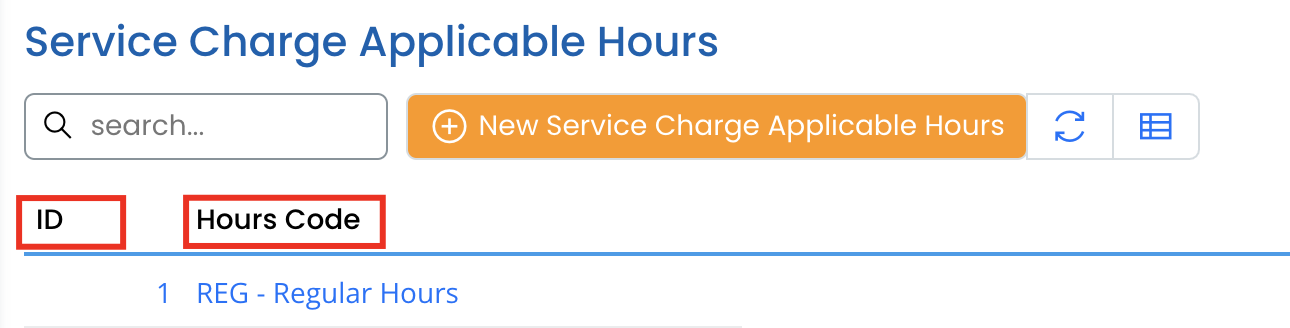
The list displays the following details:
- ID – Unique identifier for the entry.
- Hours Code – Specifies the type of hours included in service charge calculations.
Adding a New Service Charge Applicable Hour
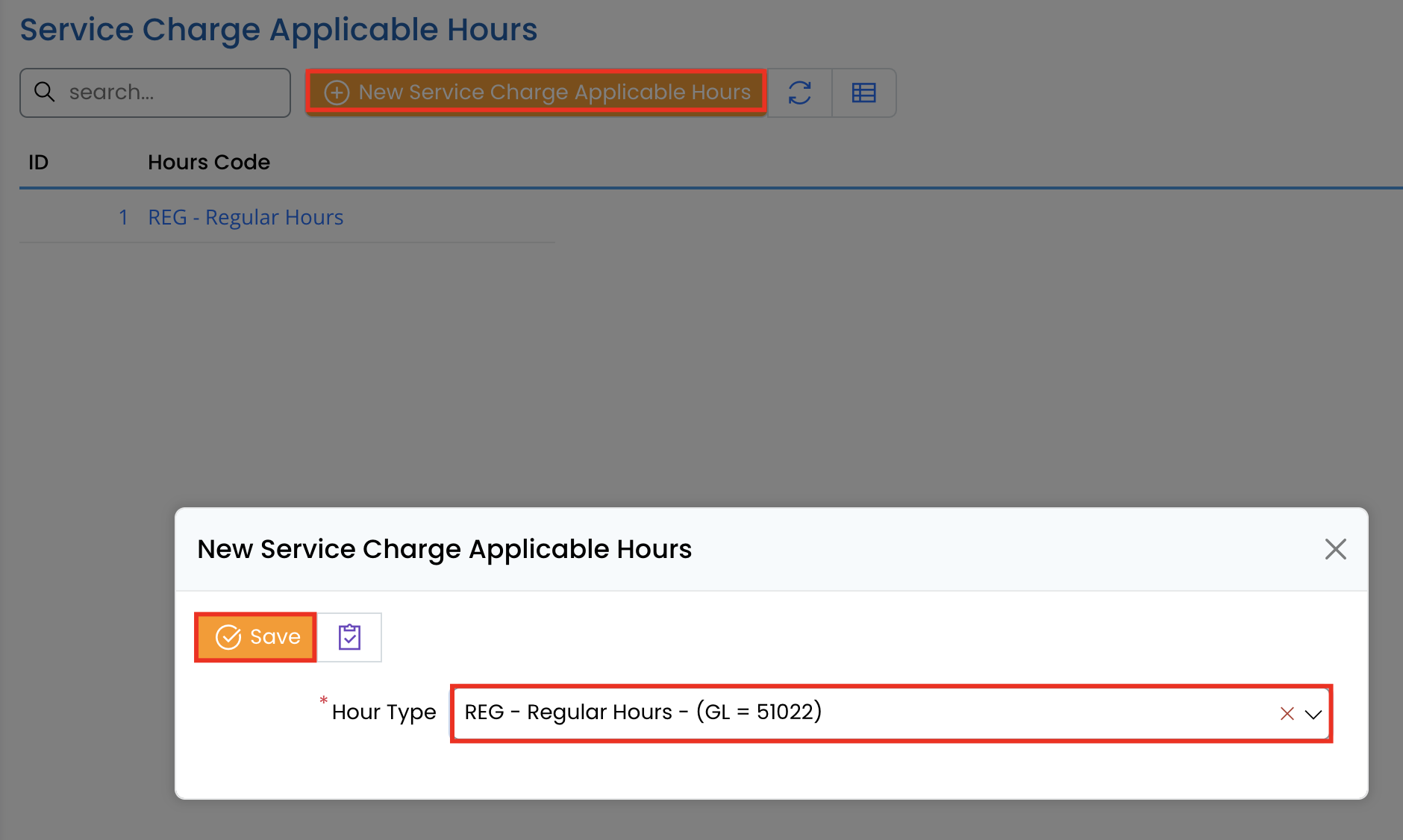
- Click New Service Charge Applicable Hours.
- In the form:
- Select the Hour Type (e.g., Regular Hours).
- Click Save to apply.
Editing Service Charge Applicable Hours
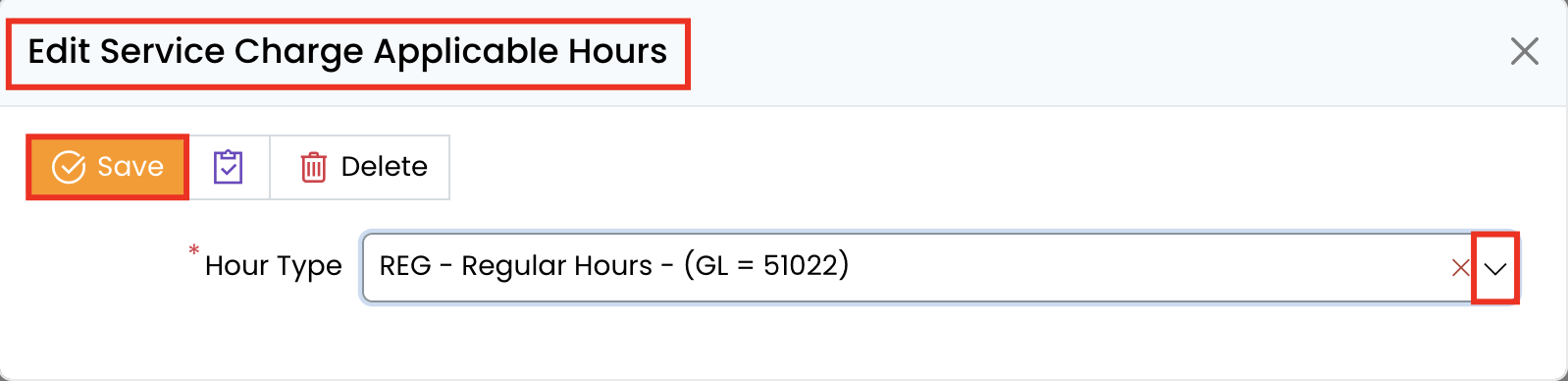
- Click on an existing entry to open the details.
- Modify the Hour Type, if necessary.
- Click Save to update the record.
Deleting a Service Charge Applicable Hour
- Open the applicable hour entry.
- Click Delete.
- Confirm the deletion if prompted.
- ⚠ Note: Deleting an hour type removes it from service charge calculations.
Example Use Case: Regular Hours for Service Charge
If only Regular Hours (REG) should be used to calculate service charge, configure it under Service Charge Applicable Hours. Overtime and special hours won’t be included in the service charge distribution.
Key Considerations
✔ Ensure only relevant hours are included in service charge calculations.
✔ Regularly review settings to align with company policies.
✔ Changes take effect in the next payroll run.
By configuring Service Charge Applicable Hours correctly, payroll administrators can ensure fair distribution and accurate service charge calculations. 🚀