
Managing Tax Rules
Accessing Tax Rules
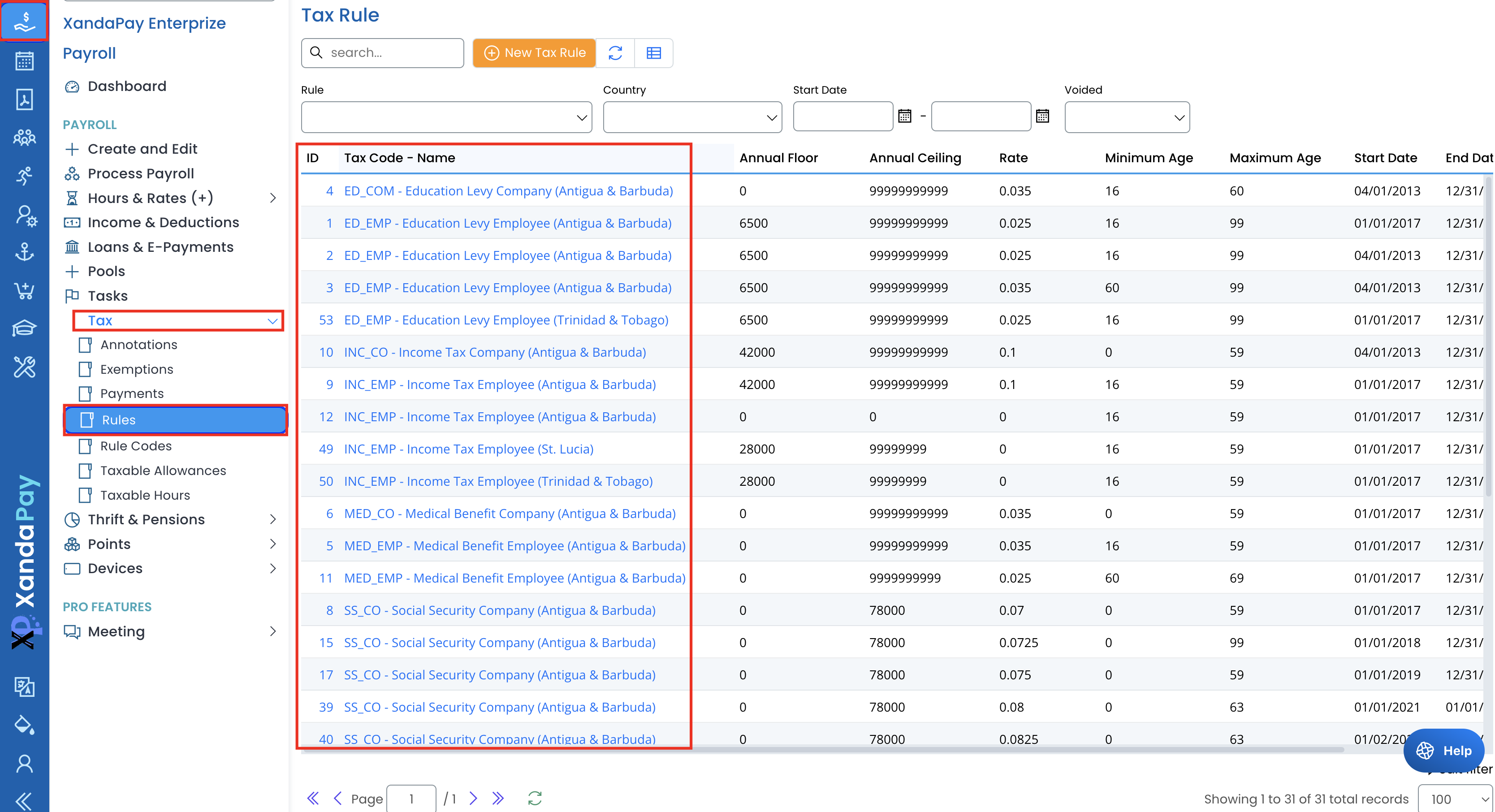
- Log in to XandaPay Enterprise.
- From the left-side Payroll menu, expand the Tax section.
- Click on Rules to view the list of existing tax rules.
Creating a New Tax Rule
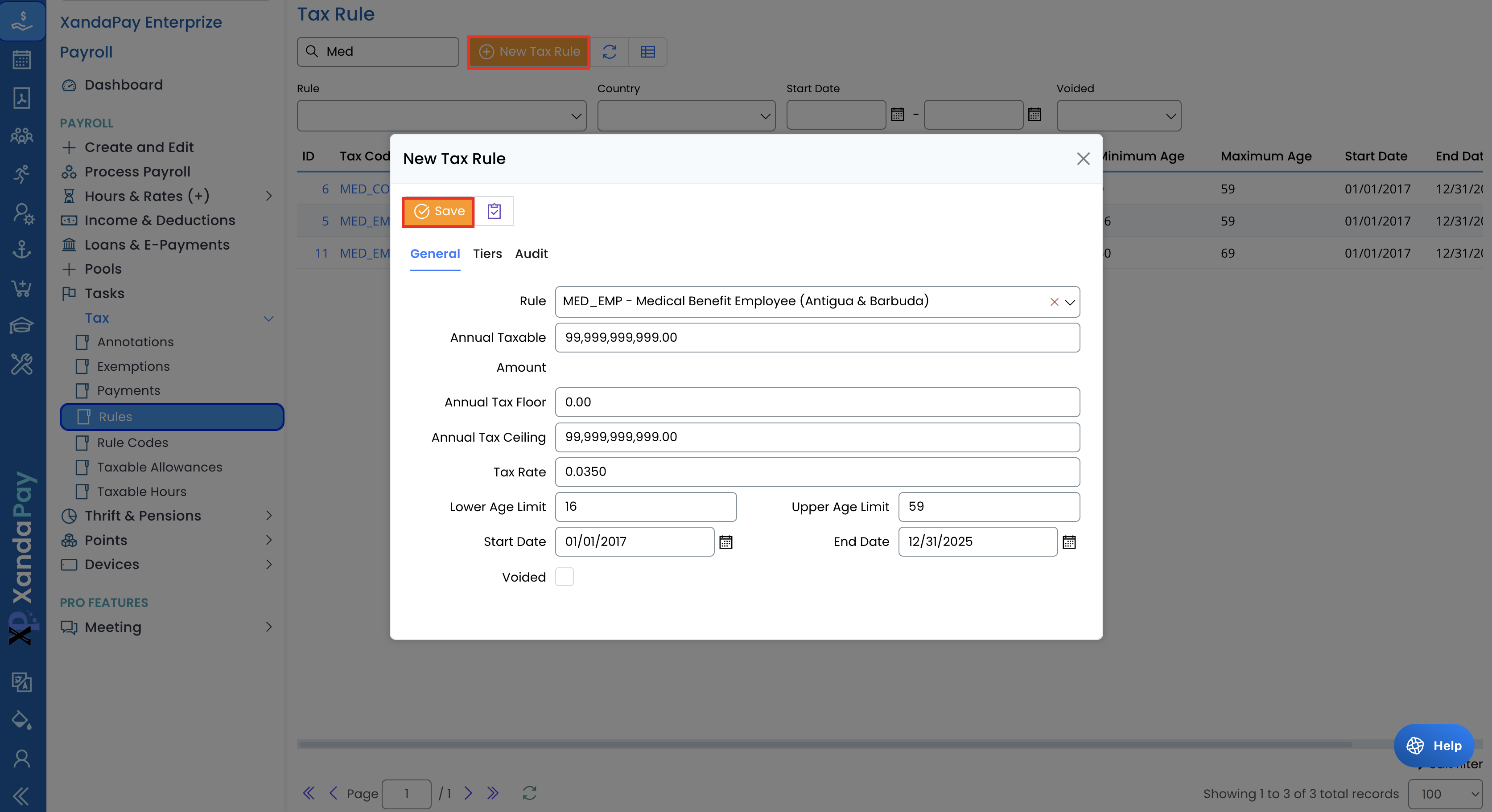
- Click the New Tax Rule button at the top of the screen.
- In the Rule dropdown, select or enter the tax rule name.
- Set the Start Date and End Date to define the validity period.
- Enter the Annual Tax Floor (minimum taxable amount) and Annual Tax Ceiling (maximum taxable amount).
- Define the Tax Rate (percentage or fixed value) to be applied.
- Set Age Limits (if applicable) to specify the eligible age range for the tax rule.
- Click Save to create the tax rule.
Editing an Existing Tax Rule
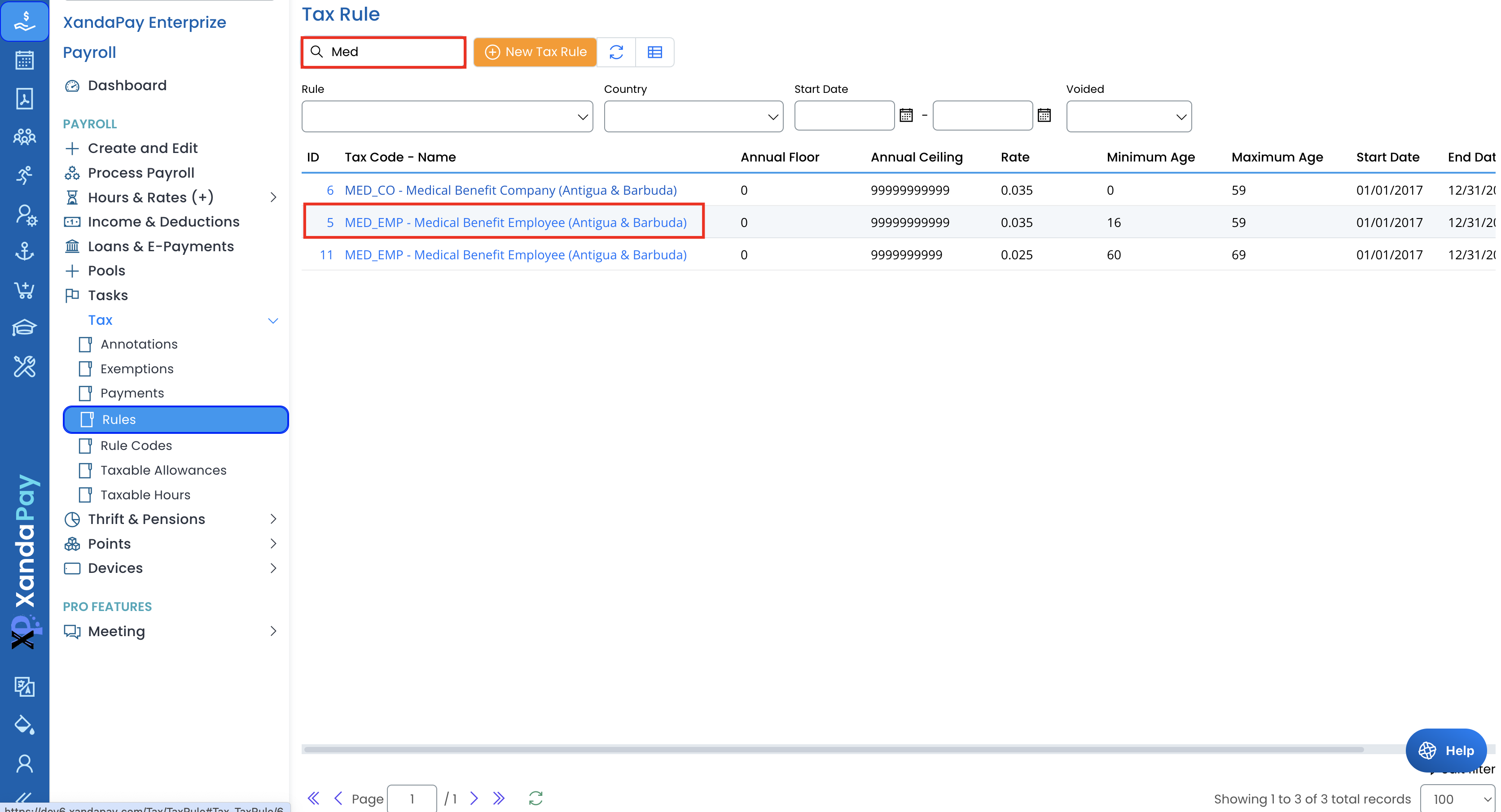
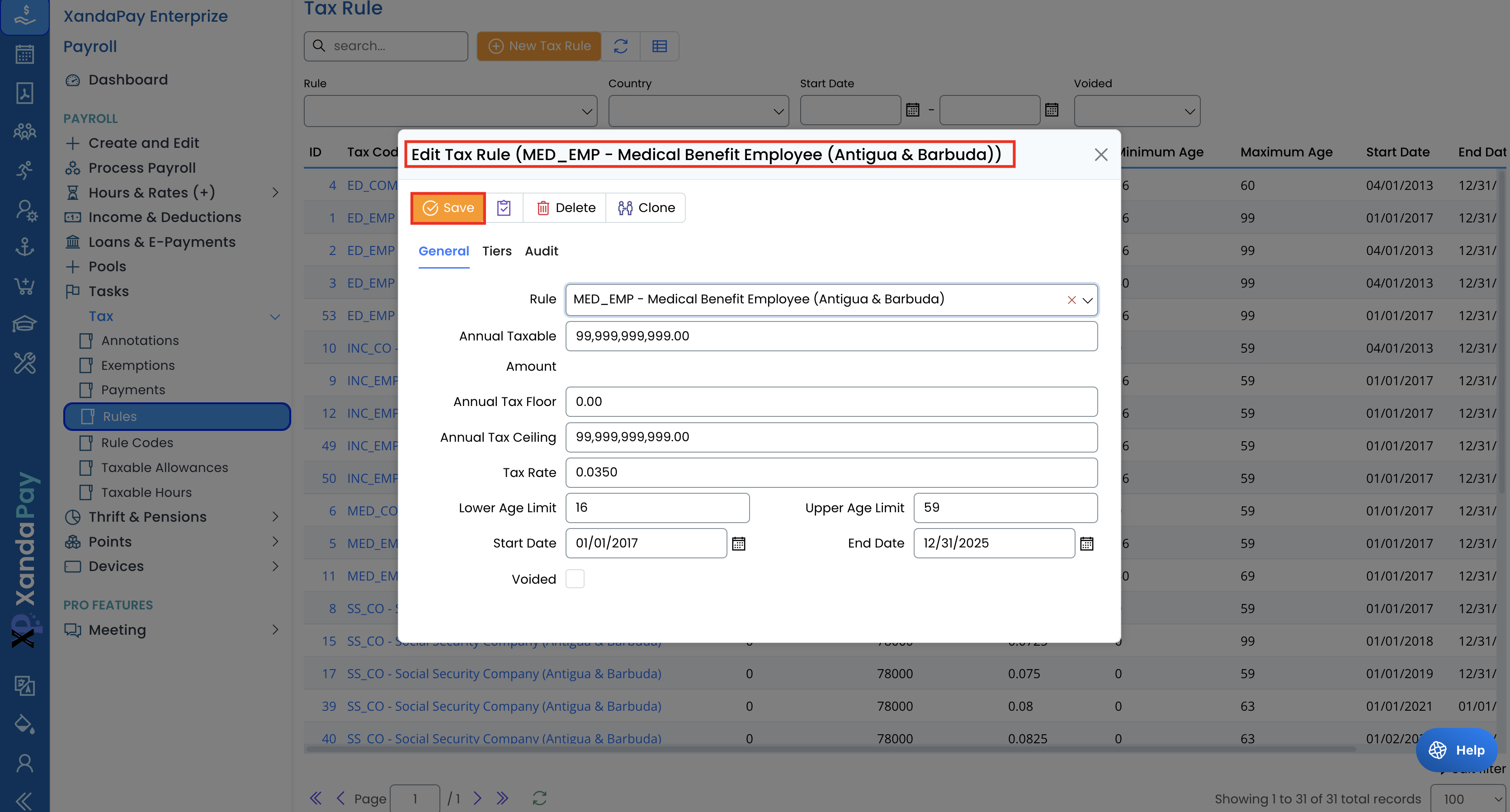
- Locate the tax rule in the list and click on its name to edit.
- Modify the relevant fields such as tax rate, floor/ceiling, and age limits.
- Click Save to apply the changes.
Voiding or Deleting a Tax Rule
- To void a tax rule, check the Voided box in the edit screen and click Save.
- To delete a tax rule, open the rule and click the Delete button.
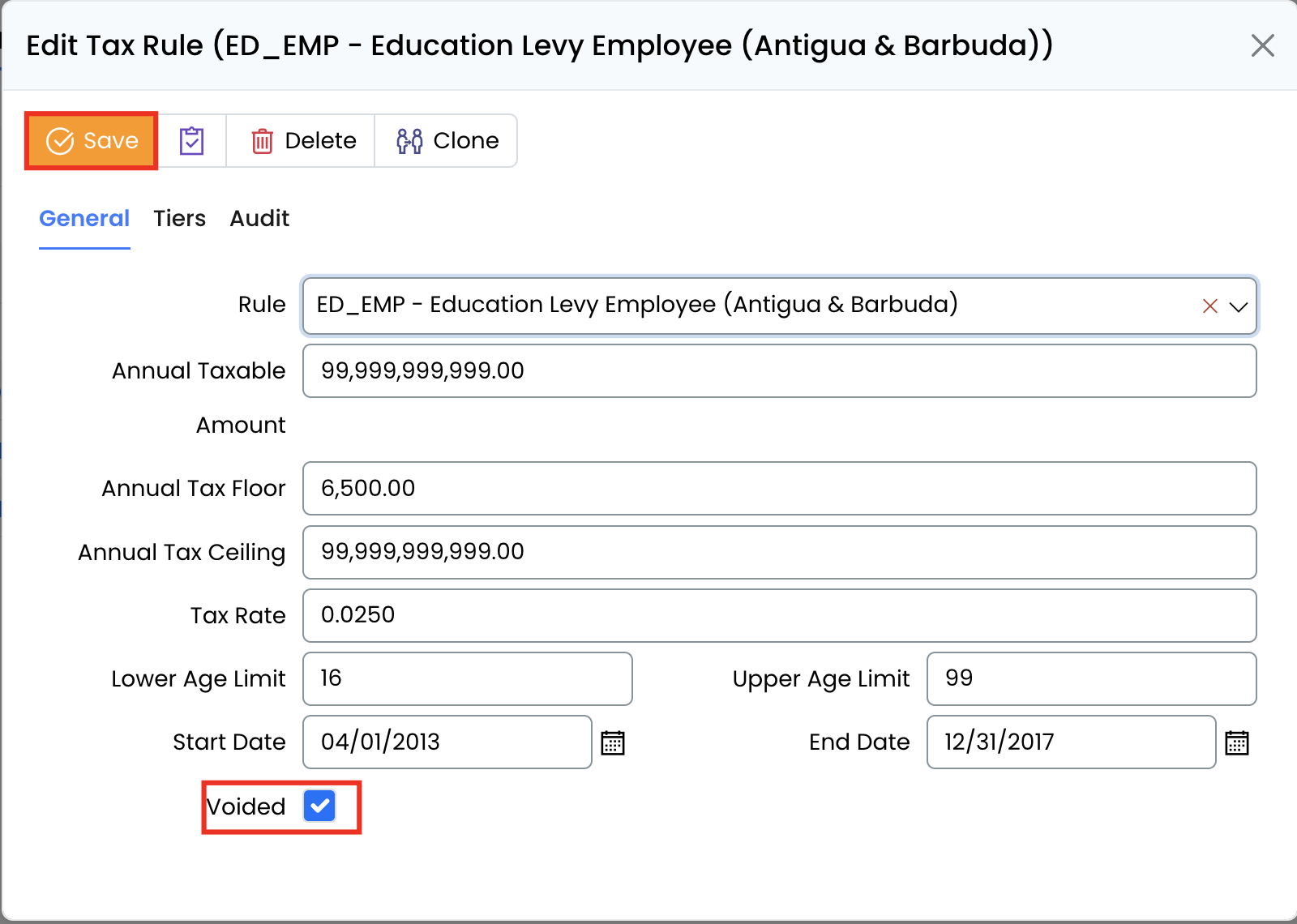
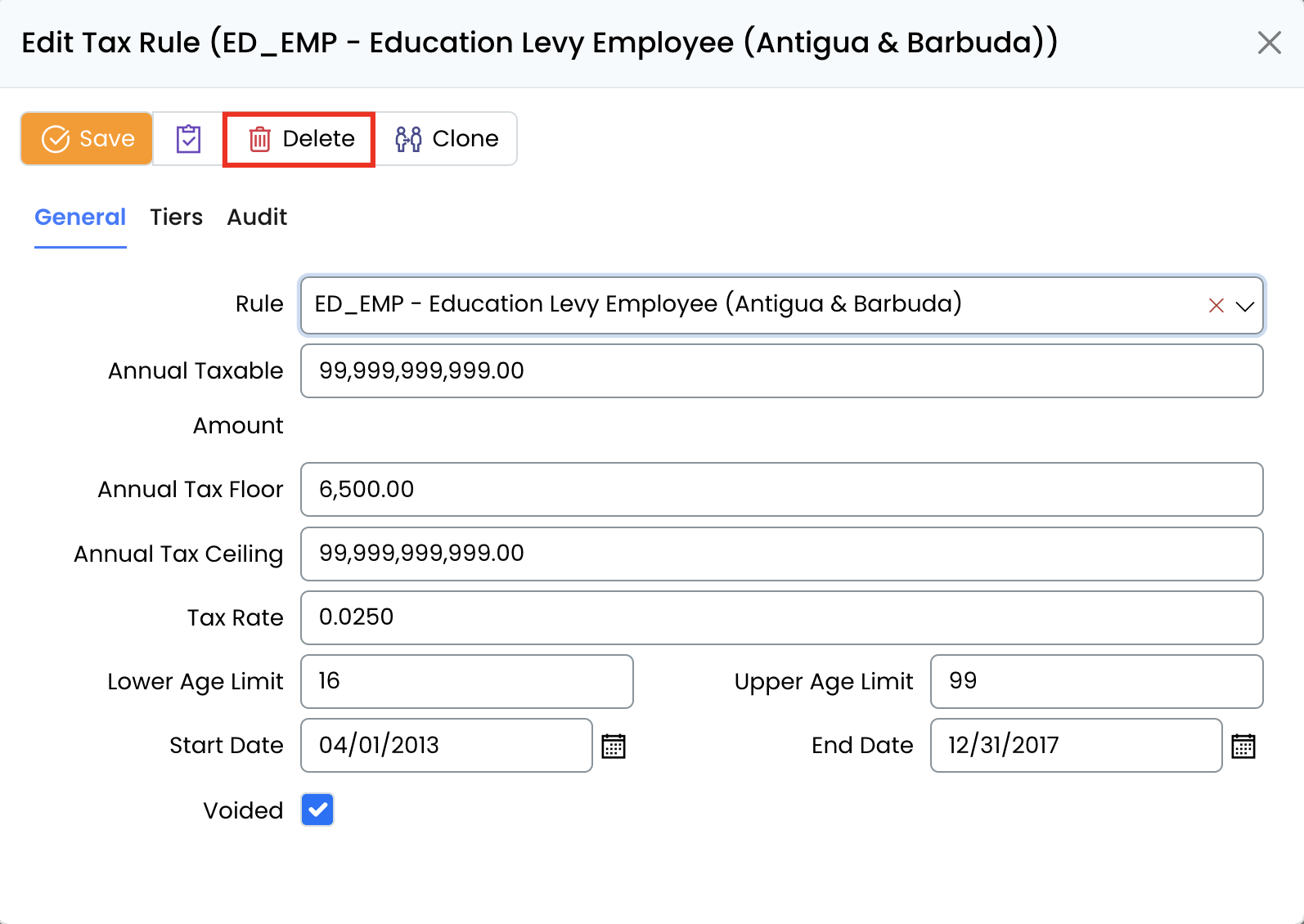
⚠ Warning: Deleting tax rules is a permanent action and cannot be undone. Removing these records may affect financial reports, tax calculations, and compliance documentation. Ensure that you have a backup or the necessary approvals before proceeding.
Example Use Case: Medical Benefit Tax
For Medical Benefit Contributions, you may need to:
- Set different rates for employees and companies.
- Define minimum and maximum age limits for contributions.
- Specify a ceiling to cap contributions at a maximum taxable amount.
This ensures that the payroll system correctly applies medical benefit deductions based on company policies and regulations.
Key Considerations
✔ Ensure tax rules comply with local tax laws and regulations.
✔ Verify age limits and ceilings to prevent incorrect deductions.
✔ Update tax rules periodically to reflect policy or law changes.
✔ Use the void option instead of deleting a rule to maintain history.
✔ Check for overlapping or duplicate tax rules to avoid calculation errors.
By properly managing tax rules, payroll administrators can ensure seamless and compliant payroll processing in XandaPay Enterprise.