
How to View and Download Pay History
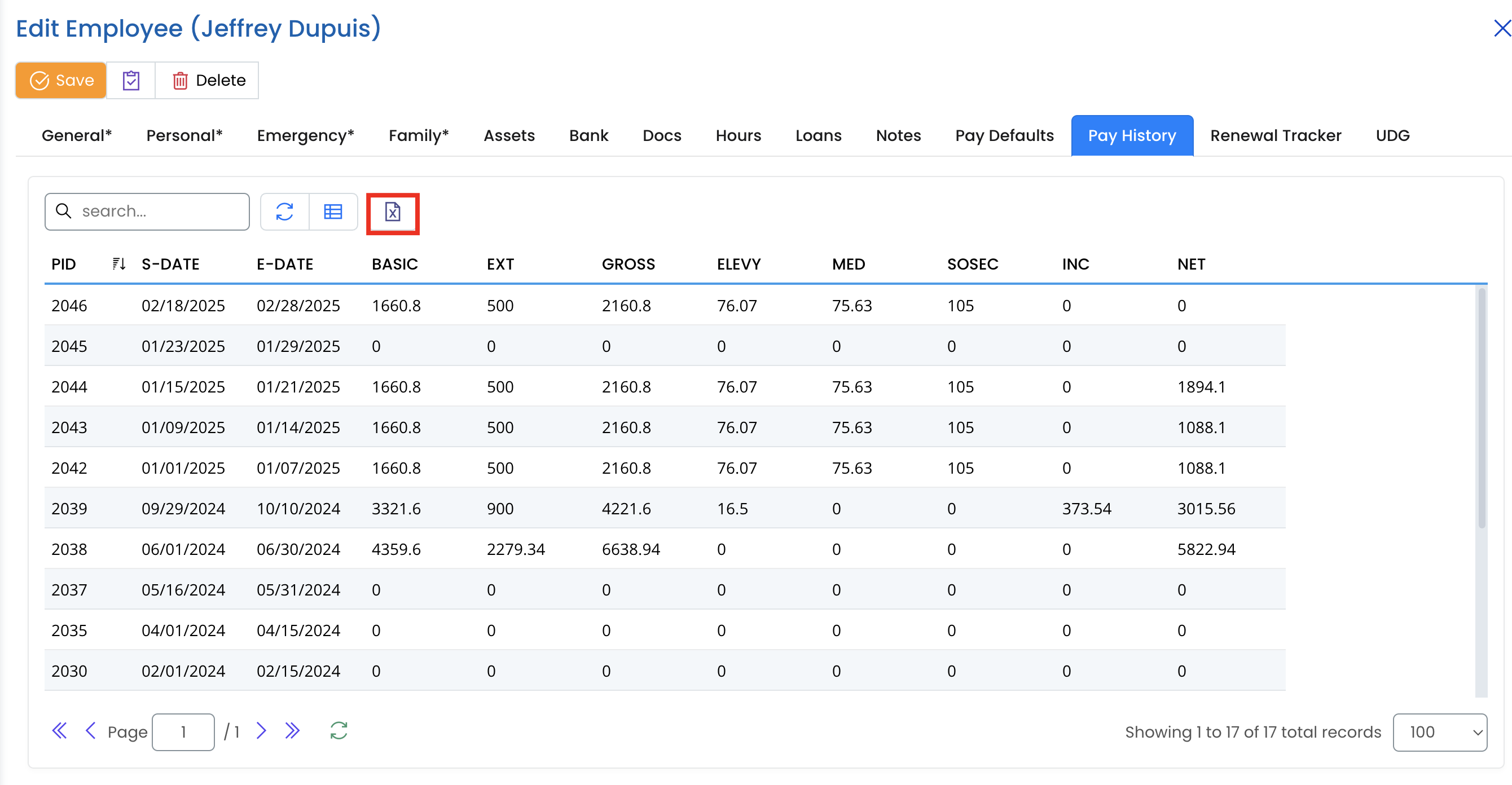
The Pay History tab in XandaPay provides a detailed record of an employee's payroll history, including basic salary, gross earnings, deductions, and net pay. This section helps HR and payroll administrators track and review salary payments over time.
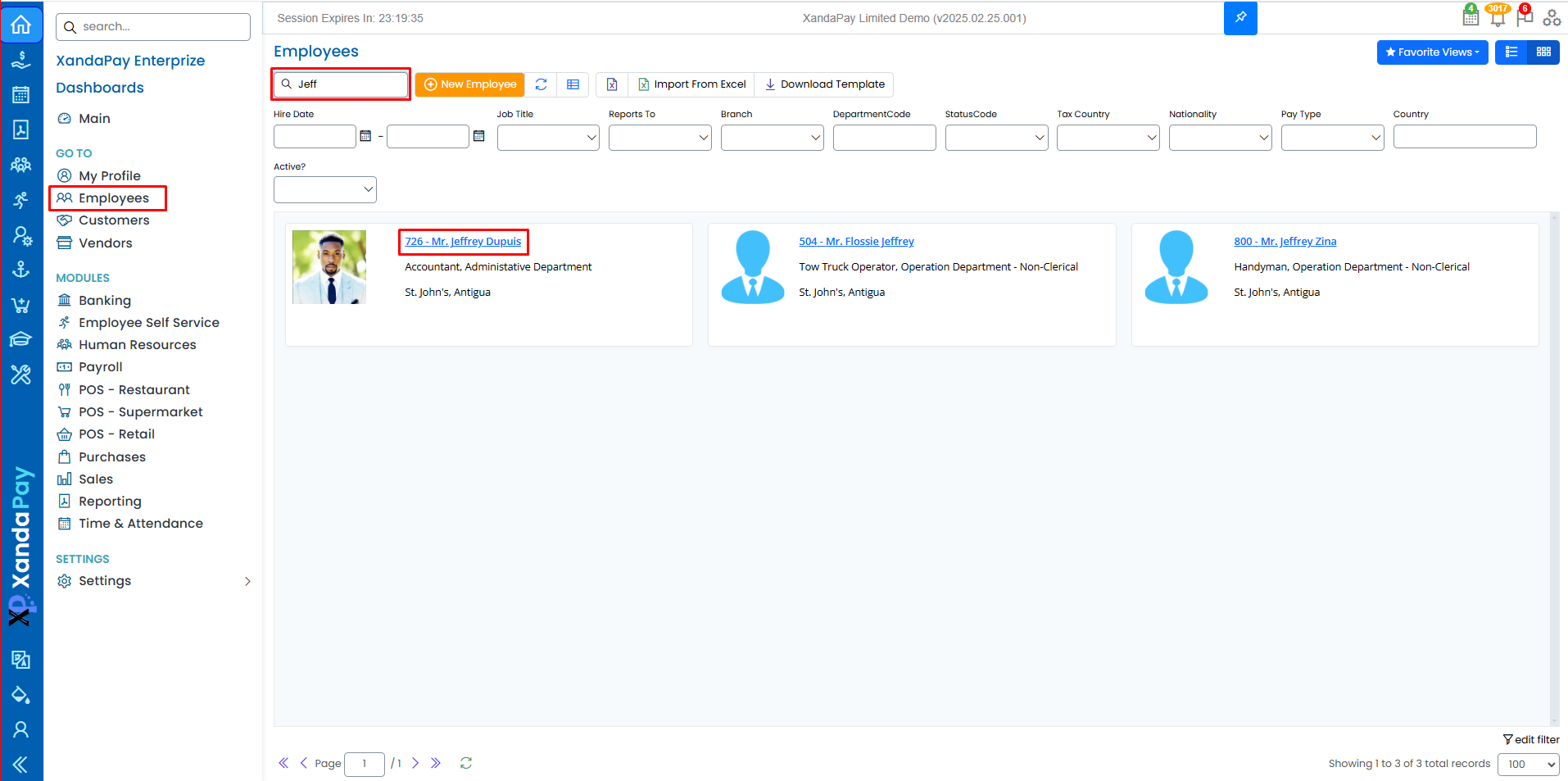
Step 1: Navigate to the Pay History Tab
- Log in to your XandaPay portal.
- Open the Employees module.
- Select the employee whose payroll history you want to review.
- Click on the Pay History tab at the top.
Step 2: Understanding the Pay History Table
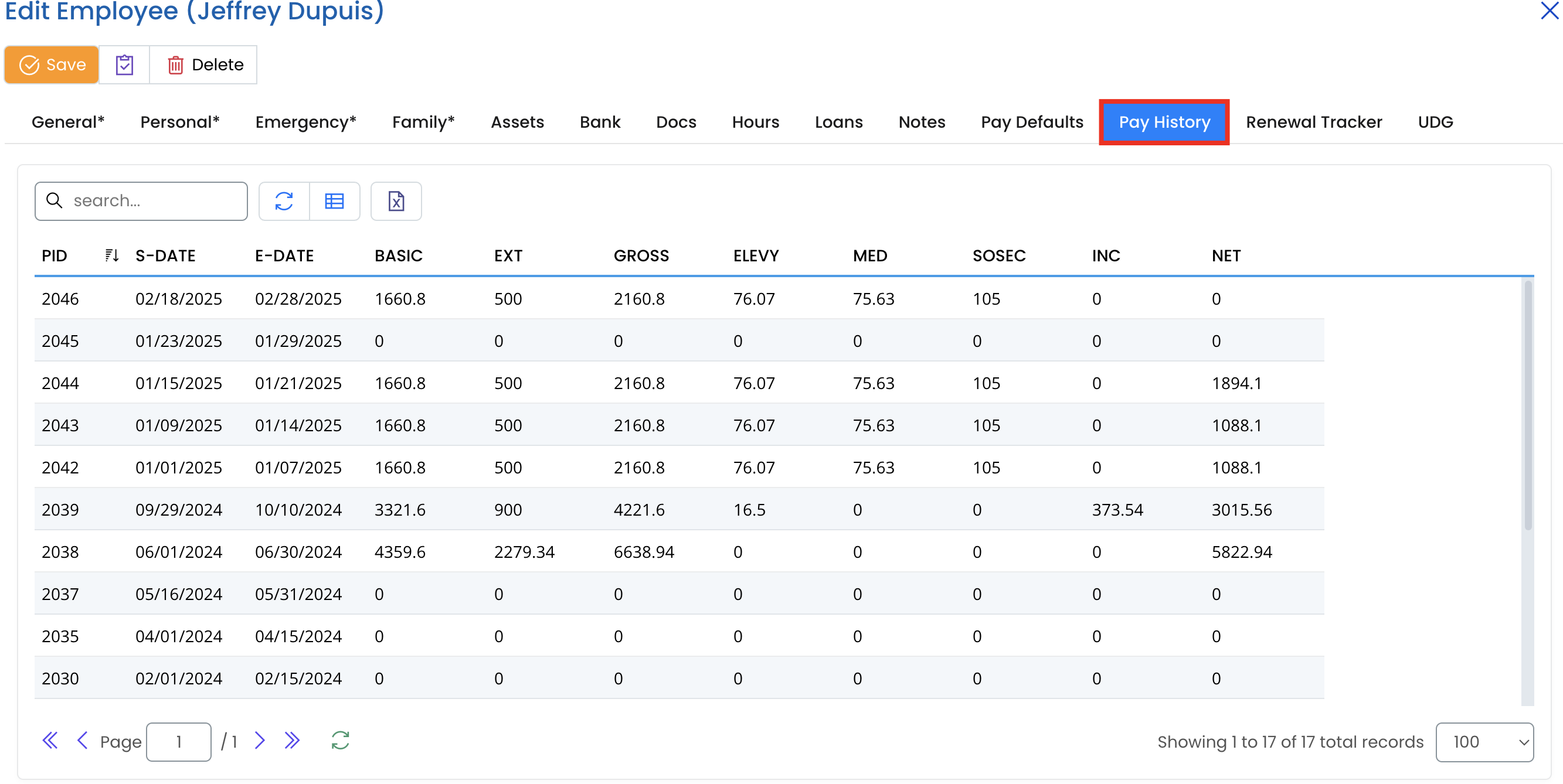
The pay history table includes several columns:
- PID: Payroll ID, a unique identifier for each payroll entry.
- S-DATE (Start Date): The start date of the payroll period.
- E-DATE (End Date): The end date of the payroll period.
- BASIC: The base salary amount before any additions or deductions.
- EXT: Extra payments such as overtime or bonuses.
- GROSS: The total earnings before deductions.
- ELEVY (Employee Levy): Any levies Taxes deducted from the salary.
- MED (Medical Deductions): Medical Benefits Taxes contributions deducted from the salary
- SOSEC (Social Security): Social Security Taxes contributions deducted from the salary.
- INC (Income Tax Deductions): Income Taxes deducted from the salary.
- NET: The final take-home pay after deductions.
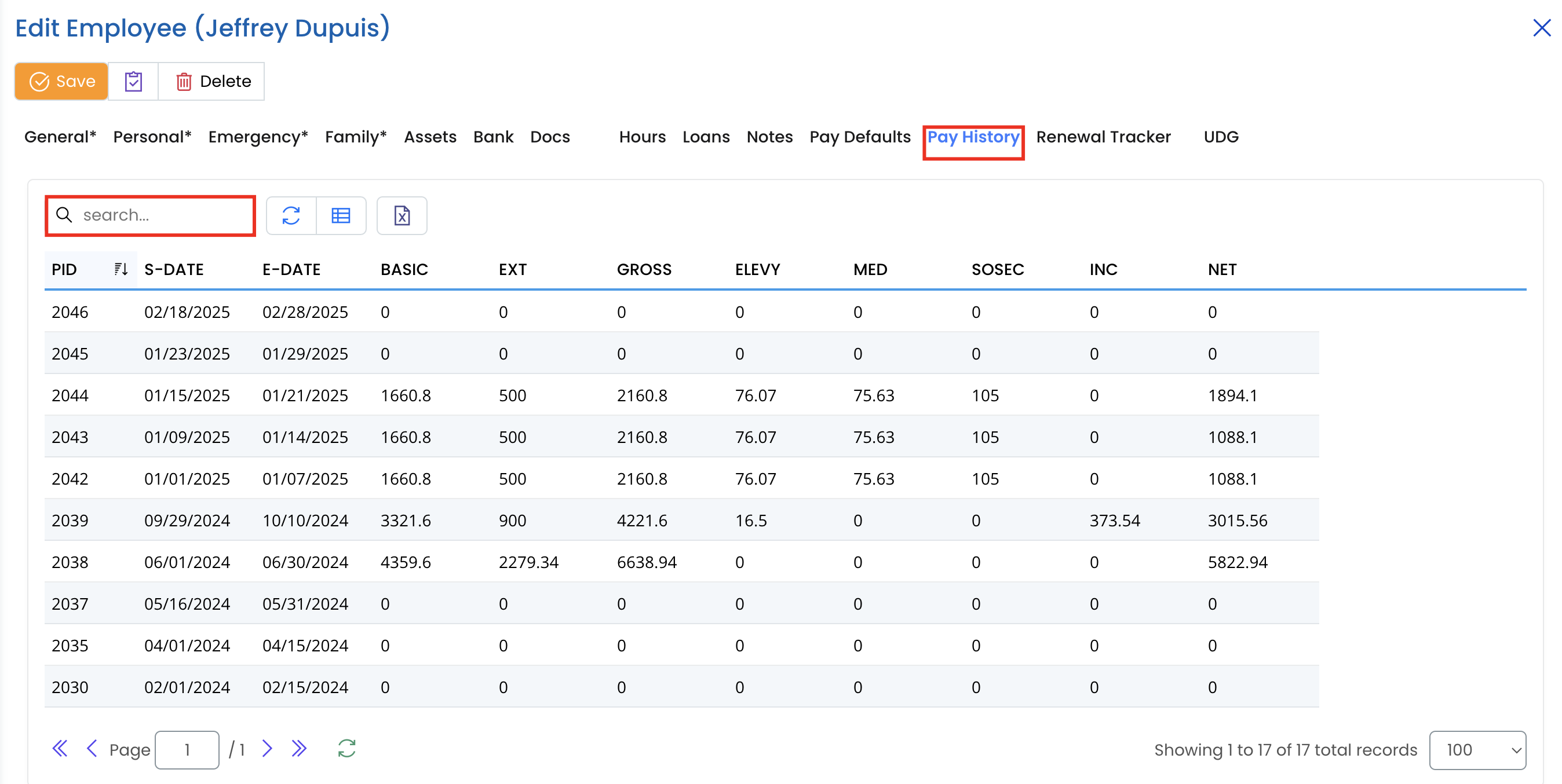
Step 3: Searching and Filtering Pay History
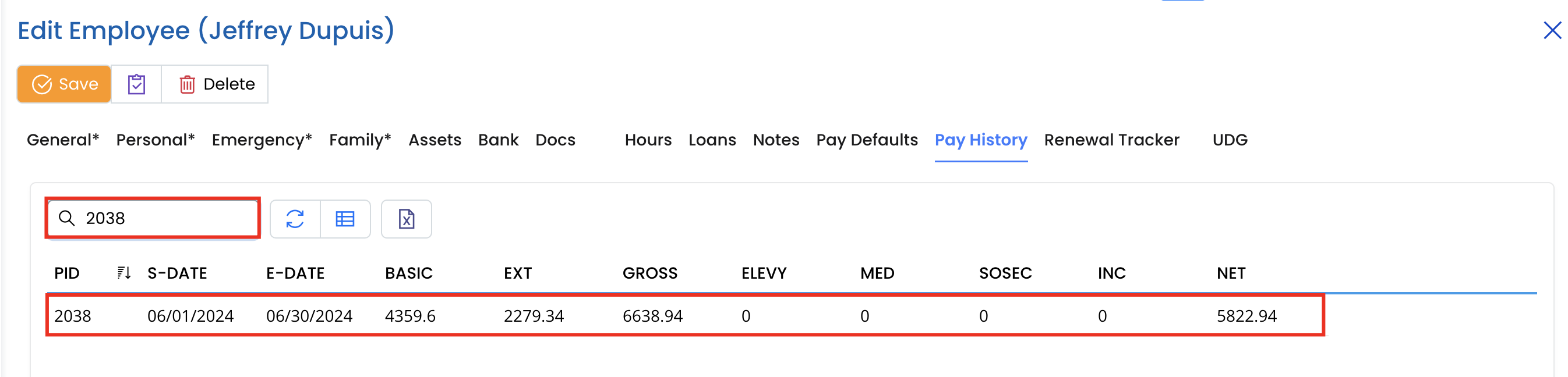
- Use the Search bar to find specific payroll records by entering keywords such as dates or payroll ID.
- Click the Refresh button 🔄 to update the list with any new records.
- Adjust the number of records displayed per page (default is 100).
Step 4: Export Pay History Data
- Click the Excel button 📤 (if available) to download the payroll history for further analysis.
- The exported file can be used for payroll audits, financial reporting, or employee queries.
Additional Notes
- Payroll records cannot be edited directly from this tab. Any adjustments should be made through the Payroll Processing Module.
- The pay history helps HR and finance teams track salary trends, bonuses, deductions, and overall employee earnings.
- It is important to regularly review pay history for accuracy and compliance with company policies and tax regulations.